

Selecting an Office Copier That Meets HIPAA, GDPR and Network Risk Standards
I spend a lot of time helping businesses pick the right office copier, and security has become the number-one deciding factor. If your device prints, scans, stores, emails, or faxes sensitive information, it’s a data system—not just a printer. That means it must meet privacy regulations like HIPAA and GDPR while holding up against real-world cyber risks. In this guide, I’ll walk you through what to look for, how to validate those features, and which brands consistently ship the right controls for regulated environments.
What “Secure” Actually Means for a Copier
Security isn’t a single feature. A compliant, resilient copier protects data in motion and at rest, resists tampering, authenticates users, and produces logs you can actually use during audits or investigations. At a minimum, a modern enterprise-class copier should cover these pillars:
• Identity and access control
• Data protection at rest
• Data protection in transit
• Firmware integrity and update controls
• Audit logging and remote monitoring
• Secure disposition and end-of-life wiping
If any of these pillars are missing, you’ll patch with process—and process alone rarely holds up under pressure.
Why This Matters for HIPAA
HIPAA’s Security Rule is risk-based. It doesn’t prescribe a specific brand or model, but it expects you to protect electronic protected health information through access controls, transmission security, integrity controls, and device/media controls. Copiers touch each of those areas.
• Access controls: User authentication before copy, print release, and scan functions.
• Transmission security: Encrypted email, secure scan to network shares, secure fax alternatives.
• Integrity controls: Digital signatures on firmware, checksums, and tamper-resistant update paths.
• Device/media controls: Disk encryption, automatic overwrite, secure disposal procedures.
If your copier scans to email using outdated protocols or stores images unencrypted on an internal drive, you’ve created a gap you’ll need to close.
Why This Matters for GDPR
GDPR expects privacy by design and by default. That dovetails with copier settings like least-privilege defaults, anonymized scan filenames, secure release queues, and lifecycle management.
• Lawfulness, fairness, transparency: Clear notices for scan-to-cloud and email workflows.
• Data minimization: Disable unused functions; remove default address books; enforce redaction tools where practical.
• Integrity and confidentiality: Encryption at rest and in transit; robust authentication; secure logging and retention schedules.
• Accountability: Keep vendor documentation, test results, and Data Processing Agreements on file.
Threats You’re Defending Against
A quick tour of how copiers get compromised will help you evaluate the right controls.
• Credential stuffing and weak passwords on embedded web portals.
• Open scan-to-email relays or out-of-date TLS ciphers.
• SMB shares with guest access for scan destinations.
• Unencrypted internal storage containing cached jobs, address books, and forms.
• Rogue firmware or unsigned updates introduced during service events.
• Abandoned devices with intact drives after lease return or resale.
• Pull-print systems misconfigured so any user can release any job.
Map Your risks, Then Match Features
Start with a short risk profile. What categories of data do you handle? Who uses the device? Where do scans go? Which networks are in play? From there, align controls.
Identity and access control
• Directory integration: Native support for Azure AD/Entra ID, on-prem AD/LDAP, or SAML/OIDC with group-based permissions.
• Authentication methods: PIN, username/password, proximity cards (HID), mobile badges, and multi-factor prompts via SSO.
• Role-based control: Limit scan-to-email, fax, or address book editing to authorized roles.
• Secure print release (pull print): Jobs held on the device or print server until the user authenticates at the panel.

Data at Rest
• Full-disk encryption: Hardware-based or software-based AES on internal HDD/SSD; keys protected in a TPM-like module.
• Instant job overwrite: Automatic deletion and multi-pass overwrite for copy/print/scan images.
• Scheduled sanitize: Daily or weekly media sanitize schedules to keep the disk clean.
• Encrypted backups: If your fleet tool backs up address books or workflows, ensure those backups are encrypted and access-controlled.
Data in Transit
• TLS for email: Modern TLS for SMTP submission with authentication; reject legacy SSL and outdated ciphers.
• Secure scan to SMB/NFS/SFTP: Prefer SFTP or modern SMB with signing; avoid anonymous destinations.
• IPsec or TLS printing: Enable encrypted printing (e.g., IPPS or IPsec) in regulated spaces; disable insecure protocols like raw 9100 where possible.
• Cloud scanning: If you use scan-to-cloud services, confirm vendor data centers, encryption claims, tenancy, and regional storage options.
Firmware and Platform Integrity
• Signed firmware: Only trusted, digitally signed firmware installs; verify the device supports secure boot.
• Update controls: Role-restricted updates, change logs, and the option to stage and roll back firmware.
• App sandboxing: If your platform supports embedded apps or connectors, isolate them from core functions and restrict their permissions.
Logging, Monitoring, and Audit
• Syslog/SIEM integration: Export security and usage events to your SIEM for alerting and retention.
• Access and job logs: Who authenticated, what they did, and where the data went.
• Admin audit: Configuration changes, firmware updates, and failed logins.
• Retention controls: Time-bound storage so the device doesn’t hold logs longer than your policy.
Lifecycle and Disposition
• End-of-lease wipe: Certified disk overwrite or removal with a report you can keep on file.
• Spare parts and service: Require your dealer to use secure procedures for any component swaps that touch storage.
• Chain of custody: If a device leaves your facility, confirm custody documents and wipe certificates.
Network Design that Keeps Copiers in Their Lane
Even great device security can’t replace good network hygiene.
• VLAN segmentation: Put copiers on a dedicated VLAN with limited access to file servers, email relays, and print servers only.
• Least privilege firewall rules: Outbound SMTP only to your relay, SMB only to approved shares, HTTPS only to your management tool.
• DNS and NTP: Use internal DNS, secure NTP, and block unsolicited outbound traffic.
• Zero trust mindset: Treat the copier like a managed endpoint, not a trusted appliance.
Practical Configuration Blueprint for a Regulated Office
Here’s a step-by-step plan I use with healthcare and financial clients:
- Procurement baseline
– Require encryption at rest, signed firmware, secure boot, modern TLS, pull print, SIEM integration, and a documented wipe process.
– Ask for third-party security test summaries or hardening guides. - Network and identity
– Move the device to a printer VLAN; enforce firewall rules.
– Bind to AD/LDAP or SSO; enable card or PIN authentication.
– Create security groups for scan privileges and address book administration. - Hardening
– Change the default admin credentials; disable unused protocols (FTP, Telnet, older SNMP).
– Force TLS for SMTP; restrict scan destinations to named entries.
– Enable disk encryption and automatic overwrite.
– Set a short job-retention window for pull print (e.g., 24–48 hours). - Monitoring
– Send logs to your SIEM; alert on failed logins, firmware changes, and admin actions.
– Review monthly usage and security events with your dealer. - Lifecycle
– Document configuration; export a final config snapshot after validation.
– At lease end, collect the wipe certificate and archive it with your asset records.
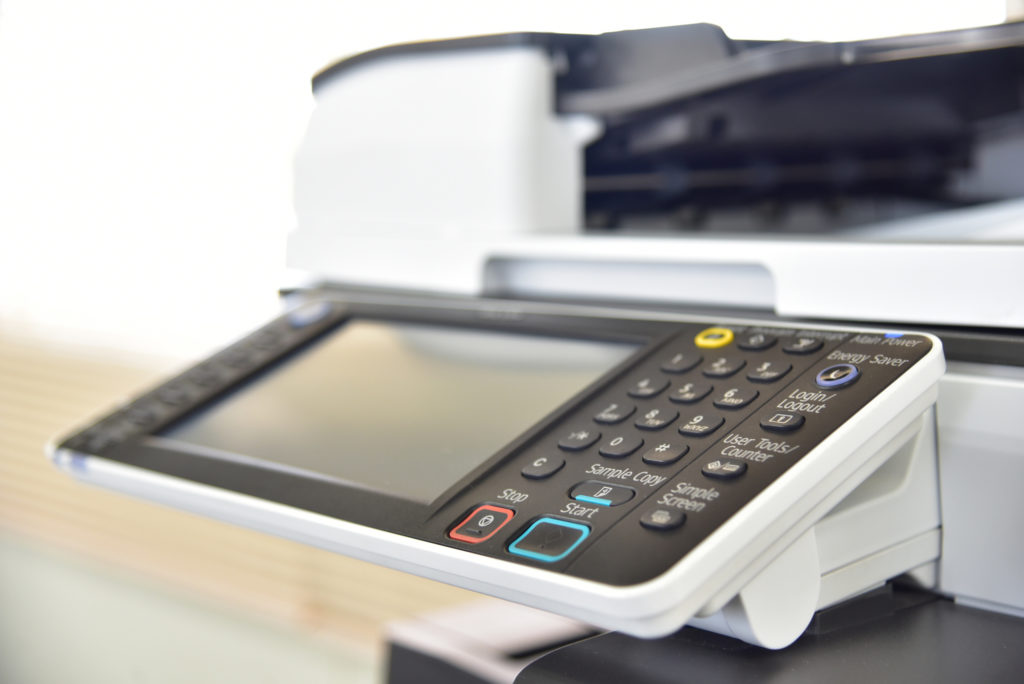
Human Factors Make or Break Copier Security.
• Teach secure release etiquette: Never walk away without releasing or canceling queued jobs.
• Promote scan discipline: Use named destinations, not ad-hoc addresses; confirm recipients.
• Guard cards and badges: Don’t leave proximity badges at the device; disable lost cards immediately.
• Reinforce privacy: Encourage users to clear the platen and output trays; stale pages cause accidental disclosures.
Top Brands That Do Security Well
A quick overview of brands and series that consistently deliver enterprise-grade security. Always verify the exact feature set on the configuration you’re evaluating, because security options can be licensed or model-specific.
Canon imageRUNNER ADVANCE DX
Strong disk encryption and overwrite features, robust user authentication, good secure print flows, and mature fleet tools for policy enforcement. Canon’s platform supports signed firmware and offers solid logging options for regulated environments.
Ricoh IM Series
Directory integration is straightforward, and the Always Current Technology approach keeps devices updated. Disk encryption, overwrite, locked print, and detailed admin logs are typically available across IM models.
Konica Minolta bizhub i-Series
Well-rounded security package with authentication choices, disk encryption, secure boot, and central management. Good developer ecosystem for embedded apps, which can be useful when you need specialized scan workflows.
Sharp BP Series
Security is treated as a baseline, with features like whitelisting, firmware validation, encryption, and admin change logs. Sharp’s web portal is clean and helps teams keep configurations consistent across a fleet.
Kyocera TASKalfa
Known for durability and a strong TCO story; security packs include encryption, overwrite, user authentication, and policy control through Kyocera’s fleet tools. Good fit for cost-conscious regulated offices.
Xerox AltaLink and VersaLink
Enterprise features across the board: secure boot, signed firmware, pull print, and comprehensive logging. The app ecosystem is extensive, so validate permissions and keep unused apps disabled for minimal attack surface.
What to ask dealers and manufacturers before you buy:
These questions will quickly reveal whether a model and configuration truly meet compliance and risk standards.
• Is disk encryption enabled by default on this exact model, and where are the keys stored?
• How do firmware updates work, and are they cryptographically signed and verified at install?
• Which TLS versions and ciphers are supported for SMTP and HTTPS?
• Can we bind the device to our SSO provider and enforce strong authentication for all functions, including scan and settings?
• Do you support pull print across the fleet, and can we set time-based job expiration?
• How do we export logs to our SIEM, and which events are included?
• What is your documented end-of-lease wipe process, and do you provide a certificate?
• Can we disable unused protocols and features at the policy level and lock them down?
Cost and Licensing Considerations
Security features sometimes live behind options and licenses. Plan for them up front.
• Authentication kits and card readers: Budget for the hardware and any server-side software you’ll need.
• Pull-print software: May require a print server or a cloud subscription.
• Fleet management: Central policy enforcement often lives in a separate license; it’s worth it if you have more than a few devices.
• Service plan: Include security patching, firmware management, and configuration backups in your maintenance agreement.
Fax, E-fax, and the Modern Reality
Fax remains common in healthcare, but traditional analog paths introduce blind spots.
• If you can, move to a secure e-fax service that supports encryption and audit trails.
• Lock down analog fax lines on dedicated surge-protected ports; keep the address book tight.
• Route inbound faxes to secure digital repositories rather than printing by default.
• Treat any fax-to-email bridge as a sensitive integration and document it like any other PHI workflow.
Cloud Connectors and Scan Apps
Scan-to-cloud increases convenience but also changes your risk profile.
• Prefer vendor-supported connectors with clear documentation on encryption, data handling, and regions.
• Disable consumer cloud destinations if they don’t meet your policy.
• Keep connectors up to date; remove those you don’t use.
• If you rely on line-of-business apps, pilot them on a test device and review the permissions they request.
Building an Internal Standard
Create a simple, two-page standard your team can reuse for every copier purchase and deployment.
Page 1: Security Baseline
– Disk encryption enabled and verified
– Job overwrite on
– Admin auth bound to SSO/AD
– Pull print required
– TLS-only protocols enabled; legacy disabled
– Logging to SIEM configured
– Default passwords changed; unused services off
Page 2: Compliance Mapping
– HIPAA: access control, transmission security, device/media controls
– GDPR: data minimization, privacy by design defaults, retention
– End-of-life: wipe certificate captured, custody chain documented
Testing and Validation
Trust but verify. Before you sign off on a go-live, run a short test plan.
• Authentication test: Confirm that anonymous users can’t access admin pages or scan functions.
• Encryption test: Validate TLS connections to SMTP and file shares with a network tool; ensure weak ciphers are disabled.
• Pull-print test: Confirm jobs aren’t released without user presence and that they expire on schedule.
• Logging test: Trigger failed logins and config changes; verify the SIEM sees the events.
• Wipe test: Initiate a job overwrite and confirm the status; document the setting for auditors.
Service and Support that Keeps you Compliant
Security is not set-and-forget. Build the following into your relationship with your dealer:
• Quarterly configuration reviews and firmware checks.
• Change management process when new scan workflows or connectors are added.
• A simple incident playbook covering lost cards, suspected misuse, and device tampering.
• Annual re-training for users focused on secure release and scan hygiene.
A Concise Checklist You Can Copy into Your RFP
• Full-disk encryption and automatic image overwrite included
• Signed firmware, secure boot, and role-restricted updates
• AD/LDAP/SSO integration with card/PIN support and pull print
• TLS-only for SMTP/HTTPS; encrypted scan destinations (SMB with signing or SFTP)
• Syslog/SIEM export of auth, admin, job, and security events
• Policy control for disabling unused services and locking config
• End-of-life media sanitization with certificate
• Dealer service plan that includes firmware patching and configuration backup
A copier is a data system disguised as an office appliance. If it touches PHI or personal data, treat it with the same care you give your servers and laptops. The good news is that the major brands now ship the security controls you need; the real wins come from choosing the right model, enabling the right settings, and operating it with a simple, repeatable standard.
About the Author
Ethan Cole is a business growth advisor and serial entrepreneur with over two decades of hands-on experience helping startups and small businesses thrive. With a background in finance and operations, he’s led multiple companies from early-stage concepts to multi-million-dollar exits. Ethan specializes in scaling strategies, cost reduction, and building systems that support sustainable growth. As a content contributor for Kwote Advisor, he shares practical insights to help business owners make smarter decisions when launching, managing, and expanding their ventures.