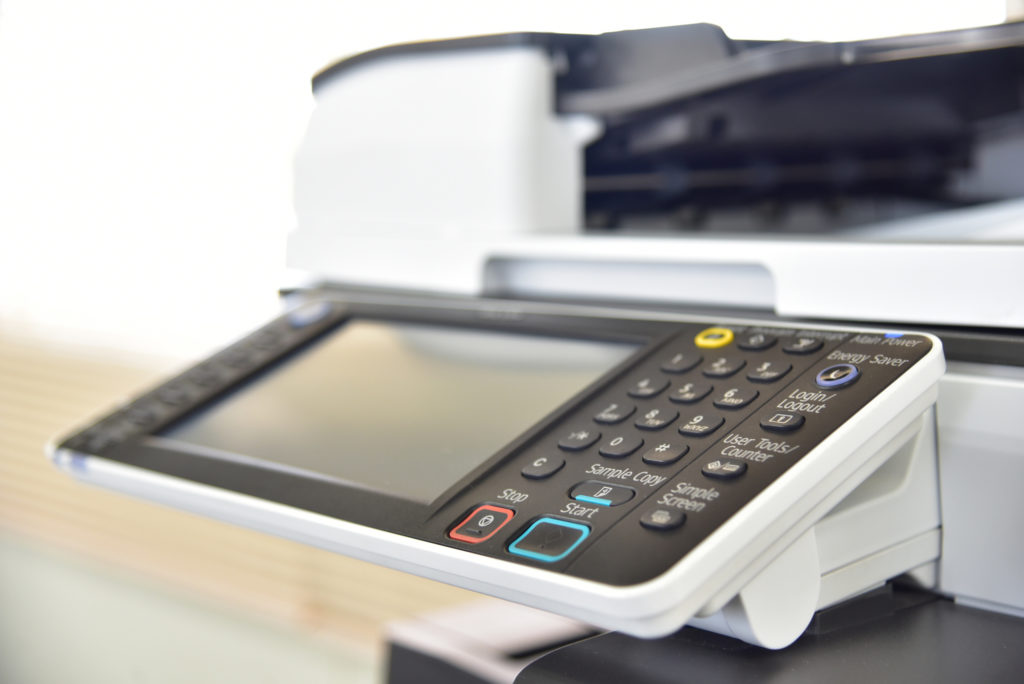

Office Copier Quotes Explained: What Vendors Don’t Always Tell You
Uncover why office copier quotes vary wildly, from vendor tactics and purchase myths to lease traps, hidden fees, toner tricks, and per-click billing. Avoid surprise bills like my $15K hit. Learn negotiation tips to slash costs today.
I got hit with a $15K “surprise” office copier bill last year-toner overcharges and hidden costs per-click fees that the vendor swore weren’t there. Office copier quotes look straightforward, but vendors bury the real costs in fine print. I’ll decode upfront myths, consumable tricks, service traps, hidden fees, contract pitfalls, and TCO secrets-plus negotiation tips to slash your bill. Ready to spot the scams?
Why Quotes Vary Widely
Same Canon imageRUNNER MFP quotes come in at $250/mo from Vendor A, $189/mo from Vendor B because of different CPP assumptions (cost per page) (2.5c vs 1.8c black/white). Vendors build these numbers on their own guesses about your office needs. Small changes in those guesses lead to big quote gaps.
You might think it’s just haggling, but copier pricing hides real differences in service contracts and usage limits. One vendor assumes heavy color printing costs, while another bets on mostly black and white copies. Always ask for their full breakdown to spot these mismatches.
Here’s a quick comparison of copier quotes for popular models from two vendors. It shows how vendor disclosures and vendor transparency affect the bottom line.
| Model | Vendor A Quote | Vendor B Quote | Key Difference |
|---|---|---|---|
| Canon imageRUNNER ADVANCE DX 4751i | $285/mo | $210/mo | Lower assumed page volume, cheaper toner costs |
| Xerox VersaLink C405 | $199/mo | $165/mo | Shorter contract length, basic service level |
| Ricoh IM C4500 | $320/mo | $245/mo | Higher color mix percentage, premium maintenance fees |
| Konica Minolta bizhub C360i | $265/mo | $198/mo | Different CPP rates, bundled scan features excluded |
Four main factors drive these variations in MFP quotes and purchase quotes. First, assumed volume like 5K vs 15K pages monthly changes everything from overage charges to total cost of ownership. Second, color mix at 20% vs 5% jacks up costs due to higher color printing costs.
- Third, service level differs, with one offering 2-hour support response time and uptime guarantees, the other standard next-day service.
- Fourth, contract length matters, as multi-year contracts lock in lower rates but add early termination fees and escalation clauses.
Check every quote against your actual page counts and copy volume needs during the RFP process (request for proposal). Push for vendor transparency on these points to avoid hidden costs in lease agreements.
Common Vendor Tactics to Watch
Vendors quote low monthly office copier payments like $150 but bury $0.03/page overage charges that hit $800/month when you exceed ‘typical’ 10K pages. These copier quotes look great at first glance. Watch the contract fine print to avoid surprises in your total cost of ownership (TCO).
Sellers use tricks like sales rep tactics and upsell strategies to make MFP quotes seem unbeatable. They hide costs in lease agreements and service contracts. Spot these moves early to protect your procurement process and ensure price transparency.
Here are five common vendor tactics with real examples. Check every copier pricing proposal against them. Demand clear vendor disclosures before signing.
- Bait pricing: They show a Canon multifunction printer at $99 for the first month. Later months jump to $250 plus fees. Always ask for the full lease agreement schedule.
- Vague ‘included’ toner: Quote says toner is ‘included’ but skips details on toner costs or page limits. You end up paying extra for black and white copies or color. Request exact page volume and meter readings inclusions.
- Minimums in footnotes: Big print promises no minimums. Tiny footnotes require 8,000 page counts monthly or face maintenance fees and penalty fees. Read all contract fine print with a magnifier.
- ‘Market adjustments’ clause: Fine print allows escalation clauses for ‘market changes’ adding 5-10% yearly. This hits cost per page (CPP) hard. Negotiate caps on these inflation adjustments.
- Bundle pressure: Push to add document management software or print management for ‘savings.’ It locks you into vendor lock-in with bundled services. Evaluate purchase vs lease, copier leasing, and rental options for each item separately.
Red flags pop up like buried usage limits or fuzzy monthly quotas. Imagine a quote screenshot with $150 bolded up top, but page 3 lists hidden costs and usage limits in 8-point font. Always use an RFP process for bid comparisons and supplier negotiations and get dealer quotes from independents.
Machine Purchase Price Myths
Xerox quotes $12,995 purchase quotes but street price is $9,750. That is a 33% markup unless you negotiate volume discounts. Vendors often hide these gaps in copier quotes.
The list price looks official, but dealer cost sits much lower. Dealers pocket a healthy margin, sometimes around 40%, on office equipment, office copiers, and multifunction printers. Always ask for their actual cost and quote breakdown during the procurement process.
Free upgrades and trade-in programs sound great until you learn they swap in two-year-old or refurbished copiers. These come with outdated document scanner features, network connectivity, or security features. Push for current specs like print speed, paper tray capacity, duplex printing, and security features in your request for proposal.
Education and government pricing can shave off thousands, like $2,000 less on similar MFPs. Buyback myths hurt too. Vendors offer $500 when fair market value hits $2,500, leaving you short on total cost of ownership.
Spot these in the contract fine print. Compare dealer quotes from trusted suppliers, independent resellers, and national accounts. Use competitive bidding to reveal true copier pricing.
| Model Type | List Price | Street Price | Typical Markup | Negotiated w/ Volume |
|---|---|---|---|---|
| Entry-Level MFP | $5,000 | $3,750 | 33% | $3,250 |
| Mid-Range Copier | $12,995 | $9,750 | 33% | $8,500 |
| High-Volume Printer | $25,000 | $18,750 | 33% | $16,000 |
| Production MFP | $45,000 | $33,750 | 33% | $28,500 |
This pricing matrix shows common patterns in MFP quotes and industry benchmarks. Factor in buyback offers, resale value, and trade-in values before signing purchase vs lease deals. Review warranty details and upgrade clauses to avoid vendor lock-in.
Lease vs. Buy Hidden Differences
Leasing seems cheaper at $225/mo vs $15K buy, but a 60-month Xerox copier leasing costs $18,200 total vs $12,500 purchase after tax credits and depreciation. Vendors often highlight low monthly payments without showing the full picture. Total cost of ownership reveals why buying can save money over time.
Ask for detailed copier quotes that break down all options: straight purchase, 60-month lease, fair market value lease, or $1 buyout. Each has different risks like early termination fees, finance rates, interest charges, or end-of-lease buyouts. Compare them side-by-side to spot hidden costs in lease agreements (for a full breakdown of how much commercial copiers cost).
| Cost Category | Purchase | 60mo Lease | Fair Market Lease | $1 Buyout |
|---|---|---|---|---|
| TCO Year 1 | $12,500 (less $9,750 IRS Section 179 write-off) | $2,700 | $2,700 | $2,700 |
| TCO Year 3 | $13,200 (w/ maintenance) | $8,100 | $8,100 (+ potential overages) | $8,100 |
| TCO Year 5 | $14,500 (own it outright) | $18,200 (no asset) | $15,000+ (residual value risk) | $13,500 (own for $1) |
With IRS Section 179 and warranty terms, you deduct $9,750 immediately on a purchase, cutting taxes right away. Leases spread costs as opex, which suits tight capex budgets. Check vendor disclosures for escalation clauses that raise payments yearly.
Negotiate fair market lease terms and upgrade clauses to avoid high residuals at end-of-lease. $1 buyout gives ownership cheap but watch for usage limits and overage charges. Run your own TCO math and budget planning during the procurement process to pick the best fit and achieve cost savings.
Installation Fees and Setup Fees
Ricoh quotes include ‘standard’ install but charges $1,250 for non-ground-floor placement or network connectivity configuration. These add-ons catch many buyers off guard in copier quotes. Always check the fine print for what counts as standard.
Vendors break out several installation costs, shipping costs, and installation fees that inflate the total cost of ownership. Freight covers shipping costs for the heavy office copier to your site. Liftgate helps unload it if no dock exists.
Site surveys make sure the space works for you.multifunction printer (MFP) with proper energy efficiency and noise levels. Network config sets up connectivity for scan features and cloud printing. Training sessions gets staff up to speed on duplex printing, user authentication, data encryption, and secure print release.
De-installing old equipment and e-waste recycling clears the way for the new business copier. Not all fees stick around after you push back with negotiation tips. Here’s a breakdown of common ones including service calls, repair costs, and their wiggle room, plus SLA guarantees and service level agreement details.
| Fee Type | Typical Cost | Negotiable? | Notes |
|---|---|---|---|
| Freight | $450 | Yes | Ask for volume discounts if buying multiple MFP s for high-volume printing. |
| Liftgate | $150 | Sometimes | Waived if you provide unloading help for your enterprise MFP. |
| Site survey | $250 | Yes | Combine with demo units to skip separate charges. |
| Network config | $500 | Often | Your IT team can handle it for network connectivity. |
| Training ($75/hr) | Varies | Yes | Limit sessions or use vendor videos instead. |
| De-install old | $400 | Yes | Negotiate trade-in values to offset this. |
Push on negotiable terms during the RFP process. Dealers often bundle these into long-term contracts with auto-renewal clauses to sweeten the deal. Compare dealer quotes against national coverage for better vendor selection based on reviews ratings and case studies for copier ROI and return on investment through productivity gains.
Toner and Drum Pricing Tricks
Canon toner cartridge quoted ‘included’ until page 15,001 when $285 replacement kicks in at 18K yield. This setup catches many offices off guard in copier quotes. You end up facing steep toner costs right when usage ramps up.
Vendors often hide these details in the contract fine print. Ask for full cost per page breakdowns upfront during your RFP process. Compare OEM toner against compatible options to spot real savings.
| Type | Yield | Cost/Page | Compatible | Cost/Page |
|---|---|---|---|---|
| Xerox OEM parts | 18K | $0.12 CPP | TrueImage compatible toners | $0.06 |
This table shows the markup difference clearly. Xerox hits $0.12 per page for monochrome printing, while TrueImage compatible cuts it in half at $0.06. Factor this into your total cost ownership and TCO for any multifunction printer quote.
- Coverage assumptions: Quotes assume 5% coverage, but real office docs often hit 12% or more for color copies, doubling your costs fast.
- Drum bundling: They bundle low-yield drums with toner, forcing early drum replacement charges you did not expect.
- Microchip locks: Built-in chips block third-party supplies and compatible toners, locking you into OEM toner at premium prices.
- Starter cartridge yields: Initial cartridges yield far less than replacements, so plan for quick top-ups in your page volume estimates.
Push for vendor transparency on these tricks. Negotiate terms allowing third-party supplies and get everything in writing. This protects your budget from hidden costs in service contracts.
Yield Estimates That Mislead
Konica Minolta claims 25K yield at 5% coverage, but office docs average 12% coverage = 10K actual yield for corporate printing or SMB copier use. Vendors base copier quotes on the ISO/IEC 19798 standard, which tests toner with a simple 5% coverage chart. Real office documents mix text, images, graphics with finishing options like staple binding, hole punching, and booklet making, pushing coverage higher and cutting true page volume.
This mismatch hides real toner costs in your total cost of ownership. For example, a quote promising 20K pages might deliver just 8K in practice with mixed docs. Always ask vendors for yield estimates at your typical coverage rate during the procurement process.
Do the math yourself with this simple calculator: your monthly page volume x real coverage / quoted yield = true cost per page. Experts recommend testing sample jobs with mobile printing and cloud integration on demo units to verify scan resolution and OCR software. This step reveals hidden costs before signing lease agreements or service contracts.
Watch for vendor disclosures on drum replacement and fuser maintenance too, as higher coverage wears parts faster. Negotiate terms based on your actual usage in the RFP process. Independent resellers often provide more transparent MFP quotes than national accounts.
Third-Party Supplies Risks
Static Control toner saves 55% ($0.05 vs $0.12/page) but voids warranty unless contract specifies ‘supplies freedom.’ Many office copier vendors push OEM toner to keep costs high and control service. Third-party options like compatible toners or remanufactured cartridges cut toner costs, yet they come with real downsides in copier quotes for drum units and fuser kits.
Vendors often hide these risks in lease agreements or service contracts. You might see lower upfront copier pricing, but using non-OEM supplies triggers hidden penalties. Always check the fine print for vendor lock-in clauses before signing.
| Supply Type | Pros | Cons |
|---|---|---|
| OEM | Full warranty support. Reliable performance with preventive maintenance and PM schedule. | Higher toner costs. Vendor dependency. |
| Compatible | Lower price per page. Easy to source for low-volume needs. | Quality can vary. Potential firmware updates issues. |
| Remanufactured | Cheaper than OEM. Often eco-friendly. | Shorter lifespan. Service refusal risks. |
Here are five key risks with third-party supplies that vendors downplay.
- Warranty clauses: Most contracts state non-OEM voids coverage, leaving you with repair bills.
- Firmware blocks: Updates can disable third-party cartridges, halting your multifunction printer.
- Service refusal: Technicians may walk away from machines using compatible toner.
- Quality variance: Inconsistent prints lead to drum replacement or fuser maintenance sooner.
- Legal threats: Vendors sometimes pursue lawsuits over “unauthorized” supplies.
The New Hampshire Department of Safety Insurance Office (NH DSIO) case highlights these issues. They switched to third-party supplies for their copy machines to lower total cost of ownership. But firmware locks and service denials caused downtime minimization failure, forcing a return to OEM and exposing weak contract fine print lacking SLA guarantees.
To avoid pitfalls, demand supplies freedom in your RFP process. Negotiate with independent resellers for flexible terms. Review warranty details and test samples during copier evaluation to match your page volume needs.
What “All-Inclusive” Really Means
Ricoh’s Total Service covers OEM parts and labor but not travel time over 50 miles at $95 per hour or weekend calls with a $250 minimum and response times. Vendors often pitch these plans as covering everything for your office copier and finishing modules, yet the fine print reveals gaps. Read the contract closely to spot these limits before signing.
All-inclusive sounds simple, but it rarely means zero extra costs for your multifunction printer. Service contracts exclude common issues that pop up in busy offices. This leads to surprise maintenance fees if you’re not careful during the procurement process.
Here are eight typical exclusions in copier quotes that vendors downplay:
- Customer abuse, like rough handling that damages the machine or bypass tray.
- Third-party supplies, such as non-OEM toner causing jams in document feeder.
- Neglect, including failure to clean or maintain basic functions.
- Relocation, with extra charges for moving the copier.
- Firmware updates, often billed separately for security patches and compliance standards like HIPAA compliant or GDPR.
- Accessories, like finishers or large trays not in the base quote.
- Consumables, beyond standard toner costs in your page volume.
- Spills, where liquids damage internal parts without coverage.
A sample exclusion clause might read: “Service does not cover damage from customer abuse, third-party supplies, neglect, relocation, firmware updates, accessories, consumables, or spills. Vendor reserves the right to charge for diagnostics and repairs in these cases.” Always ask for a full list of exclusions in writing. This helps you calculate the true total cost of ownership and negotiate better terms in your lease agreement.
Per-Click Billing Breakdown
Beware blended rates: Quote shows 2.0c B&W + 12c color copies = $280/mo but excludes scans (1c), faxes (2c), duplex penalty (+0.5c) for large format printing. Vendors often highlight simple black and white copies and color printing costs to make copier quotes look cheap. Real office use mixes in scans, faxes, duplex printing with A3 paper, legal size, envelope printing, so ask for a full per-click breakdown upfront.
Example with your multifunction printer: 8K B&W at 2c each, 2K color at 12c each, plus 3K scans at 1c. That adds up to $216 for prints alone, then tack on $30 for scans.True cost per page hides if they skip these details in the service contract.
| Service Type | Typical Cost per Click | Notes |
|---|---|---|
| B&W Copy | 2.0c | Base rate for single-sided black and white monochrome printing copies |
| Color Copy | 12c | Higher due to toner costs and color printing costs with sorter stacker |
| Scan | 1c | Often overlooked in MFP quotes with ADF capacity |
| Fax | 2c | Includes send and receive for fax capabilities |
| Duplex | +0.5c | Penalty added to copies for duplex printing |
| Real Blended | ~3.5c | Average across mixed office volume |
Check meter readings monthly to track actual usage against monthly quotas using fleet management and device monitoring. Vendors reset meters at service calls with remote diagnostics, so take photos before and after. This spots overage charges early and helps negotiate better terms in your lease agreement for technician expertise and local service.
For accurate TCO, request separate rates for every function in the RFP process. Push for vendor transparency on drum replacement and fuser maintenance, which tie into per-click billing with workflow software. Test with a site survey to match rates to your high-volume printing page volume for energy star rated and sustainable printing green copier.
Exclusion Clauses Vendors Hide
Consider starter kits, user manuals, helpdesk support, 24/7 assistance, escalation procedures, parts availability, international vendors, import duties and reliable performance in your vendor selection.
Xerox excludes ‘environmental damage’-spilled coffee voids $25K service contract unless you buy $2,500 spill kit. Vendors bury these clauses in the contract fine print to dodge repair costs using OEM parts. You end up paying out of pocket for everyday mishaps.
These exclusion clauses protect vendors from common office issues. They list scenarios where warranty or service contracts won’t apply without following PM schedule. Spotting them early saves you from surprise maintenance fees.
Here’s a list of six hidden exclusions often tucked away in copier quotes and lease agreements:
- Humidity extremes: High moisture warps paper paths. Example: A humid summer office leads to jams, but vendor claims it’s not covered under standard service.
- Power surges: Voltage spikes fry electronics. Example: Storm hits, copier dies, yet policy excludes surge protection unless you add a rider.
- User error: Wrong settings or mishandling. Example: Employee loads paper backward, causing tears, and tech support walks away.
- Non-standard paper: Thick A3 paper or recycled types gum up machines. Example: Using cheap recycled sheets triggers fuser issues denied by warranty.
- Overheating from blocking vents: Dust or clutter blocks airflow. Example: Copier near a heater melts internals, excluded as “user neglect.”
- Pets/rodents: Chew marks void everything. Example: Office mouse nibbles cables, turning your MFP into a $10K paperweight.
Check this redacted contract example to see how they hide it:
| Contract Section | Original Text (Redacted) |
|---|---|
| Service Exclusions | [Vendor] not liable for damage from environmental factors, user misuse, or unauthorized supplies. |
| Warranty Limits | Excludes power fluctuations, improper ventilation, pests, or non-OEM media. |
| Force Majeure | Includes humidity, surges, or operator error as non-covered events. |
Always push for vendor transparency during the RFP process. Ask for plain-language summaries of exclusions before signing multi-year contracts with SLA guarantees.
Overestimating Your Print Needs
Vendor assumes 15K pages for best CPP (1.8c) but your 8K actual volume costs 3.2c/page-nearly double. This mismatch hits hard in MFP quotes because pricing tiers reward higher page volumes. You end up paying more per page without the usage to justify it.
A hospital gets quoted for an enterprise MFP at 25K pages monthly. Their real output lands at 11K, triggering overage charges that add up to $4,200 extra over a year. Such gaps in page volume estimates inflate your TCO.
| Monthly Pages | Quoted Cost | Actual Cost (at lower volume) |
|---|---|---|
| <5K | $150 | $250 |
| 5-10K | $200 | $320 |
| 10-20K | $300 | $480 |
| 20K+ | $400 | $400 |
This table shows quoted vs actual costs when vendors push high tiers. Lower usage shifts you to pricier cost per page bands in your lease agreement, impacting copier ROI.
Track your 90 days usage first with print management software or job accounting features with OCR software. Share accurate logs during the RFP process to avoid inflated assumptions. Negotiate flexible monthly quotas and caps on overage charges for better vendor transparency.
Peak Usage Penalties
Quarter-end 25K page spike triggers $0.045/page overage vs base 2.1c = $575 penalty month. This happens when your SMB copier usage jumps during busy periods. Vendors often bury these rules in the contract fine print.
Seasonal spikes hit hard around tax season or fiscal year-end. Businesses push multifunction printers to the limit with high page volumes. Without clear vendor disclosures, these overage charges catch you off guard.
Watch for contract language like ‘Peak months over 120% trigger premium rates.’ It means if your monthly quota jumps too high in certain periods, you pay extra per page. This hidden cost in copier quotes can inflate your total cost of ownership.
Common in service contracts, these penalties protect vendors from unpredictable demand. They tie into cost per page and maintenance fees. Spot them early in the procurement process to avoid surprises.
To handle peak usage penalties, consider these practical steps.
- Higher base volume: Negotiate a larger monthly quota upfront to cover spikes, reducing overage risks in lease agreements.
- Annual true-up: Opt for a yearly adjustment instead of monthly penalties, smoothing out usage across the contract term.
- Multiple machines: Spread the load with extra copiers or MFPs, keeping each under peak limits for better fleet optimization.
Review usage limits during your RFP process. Talk to independent resellers for negotiable terms on these clauses.
Minimum Volume Commitments
A 5-year contract requires 120K annual pages for HIPAA compliant devices. Miss by 20K and pay $2,500 underage fee. Vendors often tuck these rules into the contract fine print of copier quotes.
Here’s the math: take your monthly minimum times 12, then multiply by the cost per page penalty. For example, a 10,000-page monthly quota at 2.5 cents CPP underage adds up fast over time. This protects their revenue on multifunction printers or copy machines.
Negotiate smarter terms to avoid hidden costs. Push for a 90-day ramp-up period, carry-forward credits for overages, and annual true-ups based on actual page volume. These changes lower your total cost of ownership in lease agreements.
- Start with a 90-day ramp-up to build usage gradually after installation.
- Ask for carry-forward credits so excess months offset shortfalls.
- Include annual true-ups to adjust quotas based on real black and white copies or color printing costs.
One law firm faced this trap. They paid $18K in underage fees over 3 years on their office copier for GDPR compliance. Reviewing the service contract upfront saved others from similar vendor lock-in.
Delivery and Freight Costs

Ground-floor delivery is included in most office copier quotes with good ADF capacity. Vendors often list this as standard. But anything beyond that can add serious hidden costs to your total cost of ownership.
Second floor delivery typically adds $650 freight plus $450 rigging, for a total of $1,100. Ask about your building’s specifics early. This prevents surprises during the procurement process.
Costs vary by location and service level. Regional differences matter, like higher fees in dense urban areas compared to open spaces. Always check the fine print on installation costs and relocation charges.
| Location | Liftgate | Inside Delivery | White Glove | Stair Carry |
|---|---|---|---|---|
| NYC | $1,200 | $1,800 | $2,500 | $3,200 |
| Texas | $450 | $750 | $1,200 | $1,600 |
| Midwest | $500 | $900 | $1,400 | $1,900 |
Negotiate free freight for multi-unit orders. Bundle with service contracts or volume discounts. This works well in competitive bidding or RFP processes with independent resellers.
Review warranty details and upgrade clauses tied to delivery. Confirm site surveys cover liftgate needs and paper handling setup. Experts recommend getting dealer quotes that spell out these terms upfront for better vendor transparency.
Overage and Underage Fees
For a 10K base volume copier quote, you might see +20% overage at 3.8c/page, while -20% underage triggers a $175 flat fee. These charges catch many offices off guard in lease agreements and service contracts. Vendors often bury them in the contract fine print.
Overage fees kick in when your page volume exceeds monthly quotas, like printing extra black and white copies or color pages. Underage penalties hit if you fall short, sometimes as a flat fee or reduced service levels. Both add to the total cost of ownership without clear vendor disclosures.
| Overage Structure | Penalty | Underage Structure | Penalty |
|---|---|---|---|
| 5K over on base | $0.015/page = $75 + admin fee | 20% under base | $175 flat fee |
| Cumulative over 10K | $0.015/page x volume + fees | Consistent low volume | Monthly underage charge |
Push for flexible volume bands in your RFP process to avoid these traps. Negotiate adjustable quotas based on actual usage, and include usage limits with clear overage charges defined upfront. This keeps copier pricing predictable during procurement.
Review historical print data before signing to match monthly quotas to your needs. Ask vendors for negotiable terms on underage fees, and consider print management software for better tracking. Experts recommend building buffer into your base volume to sidestep penalties.
Admin and Benchmarking Charges
A typical copier quote includes a $25/month account management fee plus a $1,200 annual benchmarking study that few notice until year 3. These charges cover vendor tasks like tracking your office copier usage and comparing it to competitors. They add up quickly in your total cost of ownership, often hidden in the fine print of service contracts.
Admin fees pop up for everyday oversight of your MFP or copy machine. Vendors charge for meter reads at $15 per call to verify page volumes and prevent overage disputes. Billing fees hit $10 per invoice, even if you get just one a month for toner costs or maintenance fees.
Other common admin costs include remote monitoring at $20 monthly to watch machine performance remotely. Asset tags cost $5 each for labeling your office equipment during installation. Audits run $95 per hour when vendors review your usage against monthly quotas or lease agreements.
- Meter reads: $15 per call for on-site verification of black and white copies or color printing CPP.
- Billing: $10 per invoice, stacking up with bundled services like drum replacement or fuser maintenance.
- Remote monitoring: $20 per month for network connectivity and uptime guarantees.
- Asset tags: $5 each, applied during setup for fleet optimization.
- Audits: $95 per hour to check cost per page or departmental billing accuracy.
- Benchmarking: Annual competitor research they bill you for, like $1,200 studies on market CPP rates.
- Account management: $25 monthly for general oversight, including support response time logs.
Spot these in the contract fine print during your RFP process. Ask for vendor transparency on all admin and benchmarking charges upfront, and negotiate them out or cap them to cut hidden costs from your copier pricing.
Auto-Renewal Clauses
Paragraph 14.2: ‘Renews automatically 12 months unless written notice 90 days prior’-most miss this deadline. Vendors often bury these auto-renewal clauses in the fine print of copier quotes. They keep office equipment leases going without your say-so.
Your multifunction printer contract ends, but it rolls over silently, impacting your TCO. You get hit with last billing plus 90 days notice requirements that sneak up fast. Suddenly, you’re locked into another year of service contracts and toner costs.
Missing the window means 10-15% escalations on monthly quotas and maintenance fees. These renewal traps boost the TCO for copy machines. Many businesses face vendor lock-in this way.
To fix it, circle the exact calendar date on your procurement calendar. Assign an owner from your facilities management team to track it. Review lease agreements yearly for these hidden costs in MFP quotes.
Early Termination Penalties
Cancel month 18 of a 60-month lease on your office copier for A3 paper, and you might face paying the remaining 42 months at $225 each, which adds up to $9,450, plus $695 in processing fees. This is a common early termination penalty formula vendors use: remaining payments plus three months’ worth, followed by repossession costs. It hits hard when business needs change, like office downsizing or switching to digital document management.
These penalties hide in the contract fine print of copier quotes, often without clear vendor disclosures. You could end up covering the full lease term even if the multifunction printer sits unused with high ADF capacity. Always check for usage limits and overage charges too, as they tie into total cost of ownership.
Negotiate better terms upfront to avoid traps. Push for a 180-day notice period, pro-rated buyout options, and performance clauses that let you exit if uptime guarantees or service response times fall short. In one law firm case, a $28K penalty dropped to $4,200 after smart haggling during the RFP process.
- Review early termination fees in every lease agreement quote.
- Compare dealer quotes and independent resellers for flexible financing options.
- Include legal review for indemnity clauses and limitation of liability in multi-year contracts.
- Plan for end-of-lease options like fair market value buyouts or trade-in values.
Escalation Clauses Explained
Consumer Price Index +2% sounds fair but CPI jumped 9.1% in 2022 = 11.1% increase. Vendors often tuck these clauses into lease agreements for office copiers without much fanfare. They let costs rise over time to match inflation or fixed rates.
Common types include CPI-based, fixed percentage like 5%, and PPI for producer prices. For example, a $200 monthly fee with CPI +2% could jump to $200 x 1.111 = $222.22 in a high-inflation year. Always check the fine print in copier quotes to spot these.
Negotiate caps, such as 3% per year maximum or zero increases for the first 2 years. In a 5-year contract with 7% annual escalations, that adds up to 40% total increase over the term. Push for vendor transparency on how they calculate these adjustments.
- Review historical CPI trends before signing.
- Ask for escalation clauses tied to lower indexes like core CPI with PM schedule.
- Include audit rights to verify annual increases and SLA guarantees in your service contract.
These clauses impact your total cost of ownership for multifunction printers and copy machines, ensuring GDPR compliance. During the RFP process, compare quotes with and without escalations to see the real cost per page.
OEM vs. Dealer Quote Differences
Xerox OEM quotes often list 2.1c B&W CPP with $0.18 service minimums. Dealers might offer 1.9c CPP and more flexible minimums. These differences show up right away in copier quotes for office equipment.
OEMs provide factory support straight from the maker with OEM parts, like Xerox or Canon. You get direct access to engineers and genuine parts for your multifunction printer. This cuts down on guesswork during service calls.
Authorized dealers shine with negotiation room, sometimes off list prices. They bundle services and push for better lease agreements on total cost of ownership. Independent resellers go further by mixing OEM toner with compatible cartridges to lower toner costs.
| Quote Type | Key Features | Pros | Cons |
|---|---|---|---|
| OEM | Factory pricing, direct support | Original parts, warranty details | Higher CPP, strict minimums |
| Authorized Dealer | Negotiable terms, bundled services | Volume discounts, flexible contracts | Markup on consumables |
| Independent | Third-party supplies, custom quotes | Lower costs, no vendor lock-in | Less factory training |
Check the contract fine print in every quote. OEMs lock in multi-year contracts with escalation clauses, while dealers offer escape from renewal traps. Always run a copier evaluation with site surveys to match page volume to monthly quotas.
For your procurement process, start an RFP to get dealer quotes and OEM bids side by side. This reveals hidden costs like overage charges or drum replacement fees. Experts recommend reference checks to spot vendor transparency issues early and evaluate copier ROI.
Bundled Service Add-Ons
Free document management software often lists at $95/mo after year 1 unless you untick a hidden checkbox. Vendors bundle these add-ons into copier quotes to increase revenue without clear vendor disclosures. You might not notice until the contract fine print hits.
Common bundles include print management at $30/mo, scan workflow with OCR software at $45/mo, and secure print at $15/mo. These show up as auto-checked boxes in the procurement process. Always review MFP quotes line by line to spot them.
- Document management software with trial period traps
- Print management for fleet optimization
- Scan workflow integration for office workflows
- HIPAA compliant secure print release with audit trails
- Cloud printing and mobile printing support
Unbundle their value to cut TCO. For example, third-party options like PaperCut run at $12/user compared to vendor rates around $48. Negotiate these out during the RFP process for better TCO on your copy machine.
Watch for vendor lock-in in multi-year contracts with escalation clauses. Ask about IT compatibility and user training before signing lease agreements. Independent resellers often offer more flexible bundled services without hidden maintenance fees.
Discount Mirage Tactics
45% off list price sounds great until you learn list equals 60% over dealer cost and still leaves a 12% markup. Vendors push these big discount percentages to make copier quotes look like steals. In reality, they hide the true cost of your office copier.
Take a $30,000 multifunction printer quote. At 45% off, it drops to $16,500, but the real dealer cost sits around $13,200 after all adjustments. This leaves you paying extra without clear vendor disclosures on the math behind it.
- MSRP gets quoted but no one ever pays it full price.
- Every quote claims a ‘special bid’ discount that vanishes on repeat bids.
- They slip in education pricing for commercial office equipment deals.
Spot these tricks in your procurement process by asking for dealer cost breakdowns and comparing against independent reseller quotes. Push for competitive bidding to cut through the discount mirage and focus on total cost of ownership.
Always review the contract fine print for hidden costs like maintenance fees or toner costs bundled in. Negotiate negotiable terms based on your page volume and insist on transparency in CPP calculations. This way, you avoid overpaying on your SMB copier lease or purchase.
Beyond the Quote: Full Lifecycle Costs for enterprise MFP
The true total cost of ownership for an SMB copier comes down to this formula: (Lease/Service) + (Toner/Drums x volume) + Energy + Admin + Downtime = True TCO. Vendors often highlight the upfront quote but skip these ongoing pieces. Knowing this helps you spot hidden costs early in the RFP process.
Take a simple example with a mid-range MFP. A $225 monthly lease plus $0.028 cost per page for 120,000 pages yearly adds up quick, then toss in $1,200 for energy and $600 for admin time. That totals around $19,800 in the first year alone, not counting any downtime from service calls.
You can track this yourself in Excel with a basic setup. In one cell, enter =monthly_lease + (CPP * annual_volume) + energy_cost + admin_cost + (downtime_hours * hourly_rate). Adjust the numbers based on your page volume and usage limits to compare real copier quotes.
Compare three MFPs side by side to see the differences. One might have low lease payments but high toner costs, while another offers better energy efficiency yet charges more in maintenance fees. Always factor in contract fine print like overage charges and escalation clauses for a fair apples-to-apples view.
| Cost Factor | MFP A | MFP B | MFP C |
|---|---|---|---|
| Lease/Service (annual) | $2,700 | $3,000 | $2,400 |
| Toner/Drums (120K pages) | $3,360 | $2,880 | $3,600 |
| Energy | $1,200 | $1,000 | $1,400 |
| Admin | $600 | $700 | $500 |
| Downtime Estimate | $800 | $500 | $1,000 |
| Total TCO | $8,660 | $8,080 | $8,900 |
This table shows how MFP B edges out with lower overall costs despite a higher lease. Check your own numbers against vendor disclosures for service contracts and consumables markup. It pays to run these calcs before signing lease agreements.
Energy and Downtime Expenses
A Xerox MFP with high ADF capacity running at 1.2 kWh per hour for 8 hours a day over 250 days at $0.14 per kWh adds up to $3,360 in yearly electricity costs. Vendors often skip these details in copier quotes, leaving you to calculate them yourself. Tools like the Energy Star calculator help estimate real energy use for your office copier.
Energy efficiency matters for total cost of ownership, especially with multifunction printers humming all day. Check for Energy Star ratings during the procurement process to compare models. This step reveals hidden costs in copier pricing that affect your budget over time.
Downtime hits hard too. If a breakdown causes just 2% downtime at $75 per hour labor across 2,000 annual hours, that equals $3,000 in lost productivity. Service contracts with strong SLA guarantees protect against these expenses.
Look at SLA penalties and PM schedule in lease agreements, like a 10% credit if uptime falls below 95%. Push for clear terms on support response time and parts pricing to minimize risks. Negotiating these in your RFP process ensures better vendor transparency on energy and downtime expenses.
Resale Value Realities
A Year 3 Xerox enterprise MFP might get quoted at $1,800 trade-in value from your vendor. Auction reality often lands around $650. This gap shows how copier quotes can paint an overly rosy picture of resale.
Office copiers depreciate fast. Expect heavy drops in year 1 around 40%, then 30% in year 2, and 20% in year 3, impacting your copier ROI. eBay sales for Canon models hold about 40% value after the first year, dipping to 15% by year 3.
Lease agreements play into this with FMV options versus $1 buyouts using OEM parts. Fair market value means paying whatever the machine fetches at end-of-term, often less than expected. A $1 buyout locks in ownership but ties you to the asset’s true worth.
Check trade-in values in your procurement process. Get independent appraisals before signing. Compare dealer quotes and auction data to spot inflated resale promises in vendor disclosures.
Key Questions to Ask Vendors
What’s the CPP at 8,500 B&W, 1,500 color, 4,000 scan pages with 15% duplex on A3 paper? This question pins down the real cost per page for your exact office copier usage. Vendors often quote generic rates, so specify your volume to expose hidden costs in copier quotes.
Next, clarify exact exclusions in the service contract. Ask what breaks or issues they won’t cover, like paper jams from odd sizes or fuser maintenance beyond standard. This avoids surprise maintenance fees down the line.
Probe their third-party toner policy. Some vendors void warranties or charge extra for compatible cartridges, locking you into OEM toner at higher toner costs. Confirm if they allow third-party supplies without vendor lock-in.
Check peak usage rates and overage charges. What happens if you hit high page volumes in a month? Understand monthly quotas to dodge steep fees on black and white copies or color printing costs.
- Ask about the escalation cap in multi-year contracts. Will rates jump with inflation, and is there a limit? This protects against unchecked escalation clauses.
- What’s the auto-renewal notice period? Some lease agreements trap you with short windows, leading to renewal traps. Get it in writing to plan your procurement process.
- How do they handle drum replacement and parts pricing? Is labor included, or are there separate rates? Factor this into total cost of ownership.
- What are the uptime guarantees and support response time? Look for SLA metrics with penalty clauses for downtime on your multifunction printer.
- Detail early termination fees and relocation charges. Moving offices shouldn’t cost a fortune in contract fine print surprises.
- Confirm warranty details for scan features with OCR software, duplex printing, and network connectivity. Does it cover cloud printing or security features like secure print release for HIPAA compliant and GDPR needs?
- Ask about installation costs, training sessions, and IT compatibility. Integrate with workflows without slowdowns.
- What’s their policy on upgrade clauses and end-of-lease options? Know trade-in values to avoid residual guarantees that don’t pay off.
These questions reveal vendor transparency and negotiable terms. Use them in your RFP process or with independent resellers for better MFP quotes. Always push for written vendor disclosures to compare total cost of ownership fairly.
Benchmarking Your Quote
Get 3 bids: one from the OEM, one from a dealer, and one from an independent reseller. This simple step in the procurement process helps you spot fair copier pricing right away. My own Canon MFP benchmark came in at $219 monthly, so if your quote hits $265, that is 17% over.
Compare these bids against sources like BuyerZone, local resellers, and national accounts. Look at key metrics such as monthly costs, CPP for black and white copies, and CPP for color printing. This shows you the total cost of ownership, or TCO.
| Vendor | Monthly | CPP B&W | CPP Color | TCO Rank |
|---|---|---|---|---|
| OEM Direct | $250 | $0.008 | $0.045 | High |
| Local Dealer | $219 | $0.006 | $0.040 | Low |
| Independent | $235 | $0.007 | $0.042 | Medium |
| National Account | $240 | $0.0075 | $0.043 | Medium |
Use this benchmark table to rank your options. Check for hidden costs like maintenance fees or toner costs not always in vendor disclosures. Negotiate based on these numbers to avoid overpaying on your office copier.
Focus on your page volume and monthly quotas during competitive bidding. Ask about overage charges and service contracts to improve your MFP quotes. This approach ensures you pick the best deal for document management and office equipment needs.
Walking Away Leverage

One smart move in getting copier quotes is showing vendors you have options. Say something like, “We’re getting 1.7c CPP from Dealer X unless you match.” This puts pressure on them to improve their offer without much effort from you.
Thank them first for their time, then reference the competitor quote clearly. Pause for about 10 seconds to let it sink in. Have a real backup quote ready so you sound credible, not bluffing.
This tactic works because vendors hate losing deals. In one case, it saved $4,800 a year on total cost of ownership by beating the original lease agreement terms. Experts recommend preparing multiple dealer quotes through competitive bidding to make this step natural.
- Collect at least two solid MFP quotes with matching specs like page volume and toner costs.
- Highlight key details such as maintenance fees and service contracts in your reference.
- Be ready to email the backup quote if they push back.
- Focus on negotiable terms like overage charges and color printing costs.
Walking away leverage works in any RFP process for office equipment. It counters vendor lock-in by keeping options open. Pair it with questions on hidden costs like drum replacement or early termination fees for the best results.
2. Decoding Upfront Costs
Upfront costs confuse because quotes mix capex like a $8,500 purchase with opex like a $199/mo lease without showing 36-month TCO of $9,200 vs $7,164. Office copier quotes often highlight the initial price tag to grab attention. Yet this number tells only part of the story for your total copier ROI.
Vendors push the purchase vs lease choice without explaining long-term impacts. A straight buy ties up capital in office equipment that depreciates fast. Leasing spreads payments but hides fees in the contract fine print.
Always ask for a full copier pricing breakdown during the RFP process. Compare quotes side by side using CPP estimates. This reveals if low upfront costs lead to higher expenses later.
Watch for three hidden traps in upfront costs that vendors skip over. These can inflate your budget unexpectedly. The next sections break them down with real examples.
Installation and Setup Fees
Quotes rarely list installation costs upfront, yet they add hundreds to your bill. Vendors might charge for delivery, setup, and network connectivity on your MFP. Factor in training sessions for staff to avoid surprises.
Picture this: your new enterprise MFP arrives, but connecting it to cloud printing and HIPAA compliant features needs IT tweaks. Without clear vendor disclosures, you pay extra for wiring or configuration. Always request a site survey in your RFP process.
Negotiate these into the base quote. Push for bundled services that cover A3 paper handling setup and duplex printing calibration. Check warranty details to make sure there are no hidden charges for moving offices.
Experts recommend reviewing the contract for support response time and SLA guarantees tied to installation. This prevents downtime from poor setup. Get everything in writing before signing lease agreements.
Initial Supply Overages
Vendors downplay toner costs and starter kits in SMB copier quotes. You might get a partial cartridge that runs dry fast, leading to OEM parts buys at markup. Third-party supplies could save money, but vendor lock-in stops that.
For a high page volume office, black and white copies seem cheap until color printing costs kick in. Overage charges hit if you exceed monthly quotas early. Track ADF capacity and usage limits closely in service contracts.
Ask for drum replacement and fuser PM schedule upfront. Request cost per page breakdowns for your expected copy machine volume. This shows true starter supply expenses over the first few months.
During copier evaluation, test demo units for media flexibility and OCR software scan features. Confirm no consumables markup in multi-year contracts. Benchmark against independent reseller quotes for fairness.
Financing Fine Print Traps
Financing options like leases hide early termination fees and escalation clauses. A low monthly payment sounds good until inflation adjustments raise it yearly. Read the boilerplate language for residual guarantees, buyback offers, and GDPR compliance.
Suppose you lease thinking it’s opex-friendly for budget planning. But upgrade clauses force new models mid-term with penalties. Fair market value assessments at end-of-lease can sting too.
Run an ROI analysis comparing capex vs opex for your document management needs. Include tax implications and depreciation schedules. Use competitive bidding to negotiate better terms.
Legal review catches indemnity clauses and limitation of liability issues. Redline edits make vendors show parts pricing and labor rates clearly. This protects your procurement team from renewal traps.
3. The Real Cost of Consumables
Consumables drive 60-70% of 5-year costs. Ricoh quotes 1.5c/page but real blended CPP hits 3.2c with color and drums. Vendors often highlight toner costs at $0.08-0.15/page while hiding yields and other parts.
Here are three tricks vendors use to mask the true price of consumables. First, they quote black and white copies alone, ignoring color printing costs that spike the total. Second, drum replacement and fuser maintenance get bundled into service contracts with vague pricing. Third, page volume assumptions in copier quotes rarely match your actual usage, leading to overage charges.
Check the contract fine print for consumables markup on OEM toner and parts pricing. Ask for detailed cost per page breakdowns, including labor rates for drum replacement. This helps you spot vendor lock-in before signing multi-year contracts.
Experts recommend negotiating benchmark pricing against independent reseller quotes. Track your monthly quotas and blended CPP in the procurement process to avoid renewal traps and escalation clauses. Real control over total cost of ownership starts with these steps.
3.1 Toner Yields and Markup Games
Vendors list toner yields based on ideal conditions, like low coverage pages or A3 paper. In a busy office, your multifunction printer burns through cartridges faster, pushing real toner costs higher. Always demand yield tests under your typical document management patterns.
OEM toner carries heavy markups in lease agreements. Compatible cartridges or third-party supplies can cut costs, but check warranty details and service contracts for restrictions. Some vendors void coverage if you stray from their supplies.
During the RFP process, include page volume specifics and ADF capacity in your request for proposal. This forces vendor transparency on toner costs and prevents surprises in the first year. Compare dealer quotes side by side to get the best leverage.
3.2 Drums, Fusers, and Hidden Maintenance Fees
Drums and fusers wear out after thousands of pages, but copier quotes rarely spell out replacement intervals. These parts drive up maintenance fees, especially with high-volume black and white copies or color printing costs. Budget for them in your total cost of ownership calculation.
Service contracts often bury parts pricing and labor rates in the fine print. Uptime guarantees sound good until you see the bill for fuser maintenance during peak seasons. Request itemized lists upfront.
Negotiate capex vs opex terms to shift these costs predictably. Pilot programs with demo units let you test real drum life and PM schedule before committing. This avoids early termination fees later.
3.3 Blended CPP and Overage Traps
Blended CPP uses color, black and white, scans, and faxes for an accurate picture. Vendors lowball it in MFP quotes to win the deal, then hit you with overage charges past monthly quotas. Track your usage limits closely.
Usage spikes from duplex printing or finishing options like hole punching push costs over quoted levels. Include workflow integration details in copier evaluation to align quotes with reality. Competitive bidding exposes these gaps.
Build in negotiable terms like volume discounts for bundled services. Reference checks on national accounts reveal common overage pitfalls. This keeps your office equipment spend in check over the lease term.
4. Service and Maintenance Contracts
Full service lease promises all-inclusive coverage but excludes fuser ($1,200), rollers ($450), and staple cartridges ($89). Vendors often pitch these as worry-free options for your office copier. In reality, they hide costs that add up fast in copier quotes.
Service contracts make up a big part of total cost of ownership, or TCO. Expect billing traps like overage charges if you exceed monthly quotas for black and white copies or color printing. Always check the contract fine print for usage limits and parts pricing.
Maintenance fees cover toner costs and basic repairs, but labor rates and consumables markup catch many off guard. OEM toner from the vendor locks you in, while compatible cartridges might void warranties. Negotiate vendor transparency on these in your RFP process.
Review warranty details and uptime guarantees before signing lease agreements. Look for negotiable terms on drum replacement, fuser maintenance, and support response time. Independent resellers often offer better dealer quotes than national accounts.
4.1 Common Exclusions and Hidden Fees
Service contracts skip high-cost items like fusers and rollers to keep base quotes low. Staple cartridges and paper handling parts fall outside coverage too. This setup leads to surprise bills during peak document management needs.
Watch for overage charges on page volume beyond your quota. Color printing costs more per page than black and white copies, with cost per page, or CPP, spiking quickly. Duplex printing and scan features add to usage if not tracked.
Escalation clauses bake in inflation adjustments over multi-year contracts. Renewal traps auto-extend without notice, hiking rates. Demand benchmark pricing and competitive bidding to avoid vendor lock-in.
4.2 Negotiating Better Terms
Start with a detailed request for proposal outlining your copy machine needs. Include enterprise MFP quotes for multifunction printers with fax capabilities and network connectivity. Push for bundled services like training sessions and installation costs.
Negotiate parts pricing and labor rates upfront. Ask about third-party supplies and trade-in values for old equipment. Volume discounts help if you manage a fleet through print management software.
Build in SLA metrics with penalty clauses for downtime. Reference checks and site surveys reveal vendor reliability. Redline edits on boilerplate language protect against early termination fees and relocation charges.
4.3 Alternatives to Full-Service Leases
Consider purchase vs lease options to control TCO. Financing options spread costs without long-term commitments. Capex vs opex decisions affect budget planning and tax implications for cOPIER ROI.
Third-party maintenance skips vendor markup on consumables. Independent resellers provide flexible service contracts. Evaluate ROI analysis for workflow integration with document scanners.
Look at end-of-lease options like fair market value buyouts. Pilot programs test equipment before full procurement. This approach cuts hidden costs and improves copier evaluation.
5. Volume and Usage Assumptions
Quotes assume 12K pages/month but your actual 7K volume triggers $0.04/page underage penalty costing $200/month. Vendors often build these volume assumptions into SMB copier quotes without clear vendor disclosures. This mismatch hits your total cost of ownership hard.
Office copier contracts tie monthly quotas to maintenance fees and toner costs. If your team prints fewer black and white copies or color printing costs less than expected, penalties kick in. Always check the contract fine print for these usage limits.
Three key risks stand out. First, overage charges pile up if you exceed page volume. Second, underage fees erode savings on low-use months. Third, multi-year contracts lock in assumptions that ignore workflow changes.
Review your past print logs before signing lease agreements. Negotiate flexible terms in the RFP process to match real document management needs. This keeps hidden costs like service contracts in check.
5.1 Reading the Fine Print on Page Volume

Look for page volume definitions in MFP quotes. They might count only sides printed, not duplex printing or scan features. Misreading this leads to surprise overage charges on your copy machine.
Service contracts often split black and white copies from color printing costs. Vendors assume a mix that rarely matches office equipment reality. Spot these in the cost per page breakdown.
Ask for a vendor scorecard during copier evaluation. Push for negotiable terms on monthly quotas. This avoids vendor lock-in from rigid assumptions.
5.2 Overage and Underage Penalties Explained
Overage charges add extra cost per page beyond limits. They cover parts pricing and labor rates for higher wear on drum replacement or fuser maintenance. Plan for peak months in your procurement process.
Underage penalties hit low-volume periods, sometimes as a flat fee. These protect vendor revenue on consumables markup. Track usage with print management software to stay within bounds.
Experts recommend building buffers into your request for proposal. Compare dealer quotes for better volume discounts. This cuts total cost of ownership risks.
5.3 How to Match Quotes to Your Real Usage
Run a site survey before finalizing copier pricing. Log actual pages from network connectivity and cloud printing. Adjust assumptions for fax capabilities or mobile printing.
Test with demo units or pilot programs. Factor in paper handling and finishing options like hole punching. This reveals true needs beyond vendor transparency gaps.
- Forecast growth in departmental billing.
- Include BYOD support in volume plans.
- Negotiate escalation clauses for inflation adjustments.
- Check renewal traps in multi-year contracts.
Send these insights to your procurement team. It ensures office copier quotes align with daily operations.
6. Hidden Fees and Charges
Quotes omit $2,800 in ‘standard’ fees like freight, admin, benchmarking, and remote monitoring over 5 years. These add-ons often hide in the contract fine print and can push hidden fees to a notable chunk of the total quote. Vendors count on you missing them during the procurement process.
Look for charges tied to installation costs, training sessions, and even paper handling setup. Freight fees cover shipping your office copier or multifunction printer, while admin fees handle paperwork. Benchmarking compares your page volume to industry norms, and remote monitoring tracks usage limits remotely.
Overage charges kick in if you exceed monthly quotas for black and white copies or color printing costs. Service contracts might include drum replacement and fuser maintenance at marked-up parts pricing. Always ask for full vendor disclosures on toner costs and maintenance fees upfront.
- Review lease agreements for early termination fees and relocation charges.
- Check for escalation clauses that raise costs with inflation adjustments.
- Negotiate negotiable terms like uptime guarantees and support response time.
6.1 Common Sneaky Add-Ons in Copier Quotes
Freight and installation costs seem basic, but they pile up fast for heavy office equipment supporting HIPAA compliant and GDPR standards. Admin fees cover the vendor’s internal processing, often non-negotiable in MFP quotes. Benchmarking charges evaluate your document management needs against competitors.
Remote monitoring tracks your copy machine via network connectivity, but it comes with ongoing fees. Training sessions for scan features, duplex printing, and fax capabilities add extra lines. Consumables markup on OEM toner or compatible cartridges boosts the total cost of ownership.
Watch for warranty details that exclude certain repairs, leading to surprise labor rates. Upgrade clauses let vendors push new models mid-contract. Demand a breakdown of all these in your request for proposal to avoid vendor lock-in.
7. Contract Fine Print Traps
One unchecked box auto-renews 12 months at 10% escalation, costing $4,200 unexpectedly. Fine print traps represent the biggest risk in office copier quotes. Vendors often bury these in lease agreements and service contracts.
These clauses catch many buyers off guard during the procurement process. You might focus on copier pricing and total cost of ownership, TCO, but miss renewal traps. Always read every page before signing.
Common issues include escalation clauses and usage limits with overage charges. Preview three key ones: auto-renewal, early termination fees, and vendor lock-in. Spotting them early saves headaches.
- Auto-renewal hides in small text, extending multi-year contracts without notice.
- Early termination fees can equal months of payments if you relocate or upgrade.
- Vendor lock-in pushes OEM toner and parts, blocking third-party supplies.
Experts recommend a legal review for redline edits on boilerplate language. Check indemnity clauses and limitation of liability too. This protects your budget planning and facilities management.
Auto-Renewal Clauses
These kick in silently if you miss the opt-out window, often just 60 days before term end. Your copy machine lease jumps to higher rates with inflation adjustments. One unchecked box leads to that surprise bill.
Vendor transparency lacks here, so scrutinize renewal traps in MFP quotes. Negotiate clear notice periods and cap escalations during the RFP process. This avoids locked-in payments for unwanted equipment.
Practical tip: Mark calendars for review dates and set reminders. Include non-auto-renewal language in your request for proposal. It keeps control in your hands for copier evaluation.
Early Termination Fees
Hidden in contract fine print, these hit hard if you end early due to office moves or upgrades. Fees might cover remaining lease months plus residual guarantees. Plan for relocation charges upfront.
Service contracts tie in too, with penalties for breaking maintenance fees ties. Always ask for buyback offers or fair market value options at end-of-lease. This cuts total cost of ownership surprises.
Actionable advice: Build exit strategies into vendor scorecard checks. Reference checks reveal real early termination stories. It helps during competitive bidding with independent resellers.
Vendor Lock-In Provisions
These force you into OEM toner, blocking compatible cartridges and third-party supplies. Consumables markup stays high over the contract life. Watch for clauses banning non-vendor parts.
Multi-year contracts make this stronger, with drum replacement and fuser maintenance restricted to the dealer. Push for negotiable terms allowing flexible supplies in your procurement team discussions.
Tip: Ask national accounts or volume discounts from dealers open to choice. Include supply freedom in demo units and site surveys. It lowers toner costs and color printing costs long-term.
Vendor-Specific Quote Strategies
Same Xerox MFP: OEM quotes $289/mo, Authorized Dealer $238/mo, Independent $219/mo. Vendor type drives a pricing gap in copier quotes. This shows how different sellers approach the same office copier.
OEMs often push premium pricing with full vendor disclosures on service contracts. They bundle maintenance fees and OEM toner into lease agreements. Expect higher monthly quotas but locked-in support.
Authorized dealers trim costs by negotiating volume discounts. They offer flexible financing options like purchase vs lease. Watch for hidden costs in toner costs or overage charges.
Independents cut deepest with third-party supplies and compatible cartridges. They focus on total cost of ownership through lower CPP. Always check contract fine print for vendor lock-in risks.
OEM Quote Tactics
OEMs quote high to cover warranty details, SLA guarantees, and OEM parts. They emphasize security features like data encryption and secure print release. This builds trust in their multifunction printer ecosystem.
Quotes include bundled services such as installation costs and training sessions. Escalation clauses for inflation adjustments are common. Review upgrade clauses to avoid renewal traps.
Pros: Direct parts pricing and fast support response time. Cons: Higher consumables markup and multi-year contracts. Negotiate early termination fees upfront.
Authorized Dealer Approaches
Dealers balance price with national accounts perks. They provide demo units and site surveys for copier evaluation. MFP quotes often feature negotiable terms on page volume.
Expect details on color printing costs and black and white copies. They integrate workflow integration with print management software. Ask about fleet optimization for multiple devices.
Key advice: Use their RFP process for competitive bidding. Compare dealer quotes against OEM for TCO. Check SLA metrics like penalty clauses.
Independent Reseller Strategies
Independents shine in cost per page savings via third-party supplies. They avoid vendor lock-in with flexible service contracts. Quotes highlight drum replacement and fuser maintenance savings.
They offer trade-in values and end-of-lease options. Focus on ROI analysis for capex vs opex decisions. Make IT hardware and drivers work together. Update drivers.
Tip: Request reference checks and proof of concept pilots. Verify uptime guarantees and labor rates. This keeps total cost of ownership low over time.
Total Cost of Ownership (TCO) Calculation
Quote shows $198/mo but 5-year TCO = $19,850 including toner, service, energy vs vendor claim $14,200. Vendors often highlight the monthly lease payment and skip other expenses. This gap leaves buyers surprised by the real price tag.
TCO adds up everything from toner costs to maintenance fees over the contract life. Think about page volume, overage charges, and service contracts. Hidden costs like these can push the total well beyond the quoted figure.
A simple TCO formula starts with monthly payment x contract months. Then add estimated cost per page (CPP) times total copies, plus energy, supplies, and labor. Include installation, training, and possible early termination fees to get the complete picture.
- Track your actual monthly quotas and color printing costs.
- Compare OEM toner vs compatible cartridges.
- Review lease agreements for escalation clauses and renewal traps.
- Request vendor transparency on parts pricing and labor rates.
Run your own TCO calc during the RFP process. To compare top office copiers with realistic TCO in mind, we tested models across various budgets and usage scenarios.
8. Negotiation Power Tips
Ask CPP for your exact volume/color mix-I cut 22% off Xerox quote with 3 targeted questions. Vendors often quote based on guesses about your office copier needs. Getting your real cost per page forces them to sharpen their copier quotes.
Negotiation saves money on hidden costs like toner costs and maintenance fees. Start by mapping your page volume, including black and white copies and color printing costs. This gives you power in the procurement process.
Preview these tactics: demand vendor transparency on lease agreements, push for negotiable terms in service contracts, and use competitive bidding for better MFP quotes. Experts recommend lining up dealer quotes from independent resellers before talks. Always check the total cost of ownership, or TCO.
- Request detailed breakdowns of overage charges and monthly quotas.
- Compare purchase vs lease options with financing details.
- Spot contract fine print on upgrade clauses and early termination fees.
- Ask about volume discounts and bundled services for your multifunction printer.
Armed with this, you control the conversation on copier pricing. Push back on vendor lock-in from multi-year contracts. Your goal is fair terms on everything from drum replacement to uptime guarantees.
About the Author
Ethan Cole is a business growth advisor and serial entrepreneur with over two decades of hands-on experience helping startups and small businesses thrive. With a background in finance and operations, he’s led multiple companies from early-stage concepts to multi-million-dollar exits. Ethan specializes in scaling strategies, cost reduction, and building systems that support sustainable growth. As a content contributor for Kwote Advisor, he shares practical insights to help business owners make smarter decisions when launching, managing, and expanding their ventures.