
Updated March 2026
How Much Does It Cost to Lease an Office Copier?
Office copier leases range from $50 to $900+ per month depending on speed, volume, and features. This guide breaks down every cost factor so you can find the right copier lease for your business.
Compare Free Copier Lease QuotesHigh-end office copiers can last seven years or more, and certain models can print around 50,000 copies per month. That’s a lot of paper and a significant investment for any business. Whether you’re running a small startup or managing a large corporate office, understanding copier lease costs is the first step toward making a smart decision.
This guide covers everything you need to know about leasing an office copier in 2026, including real pricing data, cost comparisons between leasing and buying, a breakdown of features that affect your monthly payment, and our top copier recommendations.
Office Copier Lease Costs at a Glance (2026)
Copier lease pricing varies widely based on the type of machine, its capabilities, and your monthly print volume. Below is a pricing summary for the most common copier lease categories in 2026.
| Copier Type | Monthly Lease Cost | Best For | Monthly Volume |
|---|---|---|---|
| Basic B&W Copier | $50 – $200 | Small offices, light use | Up to 5,000 pages |
| Mid-Range B&W Copier | $150 – $350 | Medium offices, moderate use | 5,000 – 25,000 pages |
| Color Multifunction Copier | $200 – $500 | Marketing teams, growing businesses | 5,000 – 50,000 pages |
| High-Volume Color Copier | $350 – $650 | Large offices, heavy daily use | 25,000 – 100,000 pages |
| Production/Industrial Copier | $500 – $900+ | Print shops, enterprise environments | 100,000+ pages |
7 Factors That Affect the Cost to Lease an Office Copier
Understanding what drives your copier lease price helps you avoid overpaying for features you don’t need, or underpaying for a machine that won’t keep up with your workflow. Here are the primary factors that determine your monthly lease cost.
1. Print Speed (Pages Per Minute)
Print speed is measured in pages per minute (ppm) and has a direct impact on lease cost. Entry-level copiers print around 20–35 ppm, which works well for small offices. Mid-range copiers handle 36–55 ppm and suit most standard offices. For high-demand environments, copiers printing 60–85+ ppm are ideal but cost significantly more to lease.
2. Monthly Print Volume
Your expected monthly print volume is one of the biggest cost drivers. Higher volumes require more durable, expensive machines and more toner consumption. Before you start shopping, check your current printer’s usage reports or ask your office manager to estimate monthly page counts.
3. Color vs. Black-and-White
Color copiers typically cost 15–30% more to lease than comparable black-and-white models. Color printing also has higher per-page costs for toner and maintenance. If most of your documents are text-only, a black-and-white copier could save you hundreds per month.
4. Lease Term Length
Standard copier lease terms are 36, 48, or 60 months. Shorter terms (36 months) give you more flexibility to upgrade but come with higher monthly payments. Longer terms (60 months) lower your monthly cost but lock you in for a longer period. The most popular lease terms are 36 and 48 months.
5. Multifunction Features
Modern copiers often come as multifunction printers (MFPs) that combine printing, copying, scanning, faxing, and emailing into one device. Additional features such as automatic duplexing, finishing options (stapling, hole punching, folding), large touchscreen panels, wireless printing, and document encryption all add to the lease cost.
6. Maintenance and Service Agreement
Most leases include or offer a service agreement covering parts, labor, and toner. This is usually charged as a cost-per-copy rate (typically $0.01–$0.05 for black-and-white and $0.07–$0.15 for color). Some dealers bundle it into the monthly lease payment while others bill it separately.
7. Brand and Model
Major copier brands like Canon, Xerox, Konica Minolta, Ricoh, HP, Kyocera, Brother, Sharp, and Toshiba each have different pricing structures. Brand reliability, service requirements, and long-term costs vary, so the cheapest lease upfront may not always be the most cost-effective over the full term.
How Much Does It Cost to Lease Black-and-White Copy Machines?
Black-and-white copy machines are generally cheaper to lease because they don’t require the specialized color technology and additional toner cartridges that color machines need. A lease for a black-and-white copier can cost anywhere from around $50 to nearly $400 per month depending on the make, model, estimated monthly volume, and additional features.

Here are three popular black-and-white copiers worth considering:
Lexmark MX810de
The Lexmark MX810de is a laser mono copier with duplex printing, scanning, and copying capabilities. It prints at 55 pages per minute, features 1 GB of RAM, and handles A3 paper sizes. Toner costs approximately $119 per 25,000 pages, and the machine can process up to 300,000 pages monthly.
Brother DCP-L2550DW
The Brother DCP-L2550DW offers solid performance with 2 GB of RAM and a 320 GB hard disk. Printing speeds reach around 35 pages per minute with a toner cost near $80 per 24,600 pages. It holds up to 1,200 sheets, making it a cost-effective option for small to medium offices.
Xerox D125 Mono Laser MFP
For high-volume needs, the Xerox D125 Mono Laser MFP prints up to 125 pages per minute and handles paper sizes up to 13″ × 19″. It offers duplex printing and scanning, connects through LAN and USB, holds up to 8,050 sheets, and is rated for a recommended monthly volume of 700,000 pages.
How Much Do Color Commercial Copiers Cost to Lease?
Color commercial copiers cost more to lease because the technology involved, including multiple toner cartridges and more complex imaging components, is more expensive than standard black-and-white machines. For a commercial color copier, lease costs can range from approximately $200 to over $650 per month depending on capabilities and volume requirements.
Below are three color copiers we recommend:
HP Color LaserJet Enterprise MFP M880z
This color commercial copier features 2.5 GB of RAM with a 500 GB hard disk. It prints in both color and mono at 45 pages per minute, with toner costs around $100 per 30,000 pages. The maximum monthly volume is 200,000 pages. The estimated cost for this copier is around $9,000.
HP LaserJet Enterprise MFP M630Z
The HP LaserJet Enterprise MFP M630Z has duplex printing and scanning capabilities and can copy double-sided pages via ADF. With 1.5 GB of RAM and a 320 GB hard disk, it prints 60 pages per minute. Toner runs $311 per 25,000 pages. It holds 1,000 sheets, is priced at roughly $5,000, and handles up to 250,000 pages monthly.
Toshiba e-STUDIO 7506ACG
The Toshiba e-STUDIO 7506ACG is a powerhouse with 4 GB of RAM and 320 GB of hard disk storage. It handles a maximum monthly volume of 600,000 pages and prints up to 85 pages per minute. It connects wirelessly, via Bluetooth, LAN, and USB. The machine supports sheet sizes up to 13″ × 19″ with duplex printing, scanning, and ADF copying. Expect a price tag above $35,000.
Leasing vs. Buying an Office Copier: Which Is Better?
Knowing what kind of office copier you need before deciding whether to lease or buy is essential. The right choice depends on your budget, how long you plan to keep the machine, and whether you value flexibility or long-term ownership.
| Factor | Leasing | Buying |
|---|---|---|
| Upfront Cost | Low (little or no down payment) | High ($1,000 – $35,000+) |
| Monthly Payments | $50 – $900/month | None (after purchase) |
| Maintenance | Usually included in lease | Separate service contract (~20% of purchase price/year) |
| Technology Upgrades | Upgrade at end of lease term | Must sell old unit and buy new |
| Tax Benefits | Payments often fully deductible as operating expense | Depreciated over several years |
| Ownership | Return, buy out, or upgrade at end | You own it outright |
| Long-Term Cost | Higher total over many years | Lower total if kept 5+ years |
| Best For | Businesses wanting flexibility & low upfront cost | Businesses that keep equipment long-term |
Before making your decision, ask yourself these five questions:
- How many pages do you estimate you will need to print per day?
- Do you need security options for copying private and sensitive information?
- Do you want remote access and Wi-Fi connectivity for your copier?
- Do you need pages sorted, stapled, or printed double-sided?
- Are you looking for an all-in-one device that copies, emails, prints, and saves documents?
When Leasing Makes More Sense
Q: Are you on a limited budget?
If so, leasing may be your best bet. You can get a copier without committing to an expensive upfront purchase.
Q: Do you prefer a low payment plan or a lump sum purchase?
Leasing works well if you want low monthly payments and the flexibility to upgrade your copier in the future.
Q: How frequently will you replace or upgrade?
If you expect to upgrade within a few years, leasing allows more flexibility in choosing a different machine at the end of the lease period.
Q: How long do you intend to have a copier?
Short-term needs are usually better served with leases. For copiers priced above $2,500, leasing often makes more financial sense than buying outright.
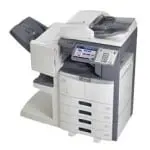
If you have a budget and want the ability to upgrade your office copier in the future, leasing is generally the better option. You’ll save money upfront and have flexibility if your business needs change.
Advantages and Disadvantages of Leasing a Copier
There are several benefits and drawbacks to leasing a copier. Here’s a clear look at both sides to help you make an informed decision.
✅ Advantages
- Low upfront cost — little or no down payment required
- Predictable monthly budgeting — fixed payments make planning easier
- Maintenance included — parts, labor, and toner typically covered
- Technology upgrades — swap for a newer model at end of term
- Tax deductible — lease payments often fully deductible as operating expenses
- Preserve cash flow — avoid large capital expenditures
❌ Disadvantages
- Required lease length — early cancellation may incur penalties
- Potentially strict terms — read the fine print carefully
- No ownership — you can’t sell a leased copier
- Higher total cost over time — leasing costs more than buying over many years
- Overage charges — exceeding monthly page allowance adds fees ($0.01–$0.15/page)
Is Leasing a Copier Printer Worth It?
If your needs align with the advantages above, then yes. You’ll save money upfront, gain flexibility to upgrade as your business grows, and benefit from included maintenance and support. Leasing is particularly worthwhile for businesses that want to avoid large capital outlays and prefer predictable monthly costs.
What Should You Look For When Choosing an Office Copier?
There are many features to consider when selecting an office copier, whether you lease or buy. Let’s cover the most important ones.
Color or Black-and-White Printing
Inkjet copiers are out of the question for large-scale office operations because they aren’t cost-effective. The ink is expensive and runs out quickly. Laser copiers are much better for business use since they have lower running costs and last longer than inkjet machines.
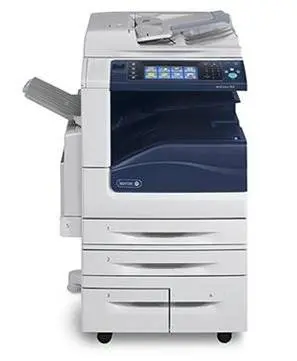
Laser color printers are excellent at printing in color but can’t print as many pages per cartridge as mono (black-and-white) laser printers. If you’re unsure whether your printing needs are suited for color or mono, ask yourself: what kind of jobs will you send through this machine? If most require color printing, consider a laser color copier. Otherwise, a mono copier will serve you well at a lower cost.
Print Speed
Print speed is one of the most crucial factors to consider. Eighty pages per minute or more is ideal for offices with heavy printing requirements. If your needs are moderate, about 50 pages per minute will work fine. For small offices with light use, 20–35 ppm is sufficient.
Monthly Print Volume Capacity
Estimate the number of pages you plan to print per month before choosing your copier. Small offices typically need a monthly volume between 2,000 and 10,000 pages. Medium offices range from 10,000 to 50,000 pages. If your office produces more than 50,000 pages per month, invest in a high-volume copier built for that workload.
Scanning and Email Capabilities
Scanning allows you to digitize documents and store them for backup. Many offices require this feature. Combined with email functionality, you can scan documents and send them directly to email addresses, ensuring backup copies of your most important files.
Security Features
To protect sensitive data from unauthorized access, consider copiers with built-in security features:
Data Encryption
Encryption encodes data stored on your copier’s hard drive so it can’t be retrieved even if the hard drive is removed. This is critical for protecting financial records, client information, and other sensitive data.
Data Overwriting
This process overwrites existing data with random data after a job is complete, ensuring original data cannot be recovered. You can add an extra layer of protection by locking hard drives with a passcode.
Duplexing (Double-Sided Printing)
Duplexing means the copier can print on both sides of a page automatically. This saves paper, reduces costs, and eliminates the need to manually flip pages and run them through the machine again.
Memory and Storage
A copier’s RAM allows it to store print commands from multiple computers simultaneously. More RAM means more commands queued at once. A hard disk drive (HDD) provides permanent storage so print jobs aren’t lost after completion — a valuable feature in offices where multiple employees use the same copier.
Additional Features
Commercial copiers offer various additional features that can streamline your document workflow: hole punching, stapling, document size changes, collating multiple pages, folding, cutting or trimming, laminating, and sorting documents before printing.
How to Lease an Office Copier
To get a copier lease, you’ll need to apply for credit approval through a third-party financing company. Your office equipment provider can walk you through this process. If you don’t qualify for standard credit approval, there may be alternative financing options available.
The monthly cost of leasing depends on the copier model, your credit approval, the term of the lease, and the financing rates. Here’s a simple way to estimate costs: a $10,000 copier works out to approximately $200/month on a 5-year (60-month) lease, or about $300/month on a 3-year (36-month) lease.

Lease End Options
When your copier lease ends, you typically have several choices:
- Return the copier and walk away
- Purchase the copier at fair market value or a $1 buyout (depending on your lease type)
- Renew the lease on a month-to-month basis
- Upgrade to a newer model with a new lease agreement
When to Lease an Industrial Copier
If your business needs tens of thousands of high-quality copies monthly on multiple paper types, you should consider an industrial copier. These machines are built to handle constant use without compromising quality, but they cost more to lease than standard commercial copiers.
Maintenance Costs and Service Agreements
When you lease a copier, the cost is usually bundled with a service agreement that covers all maintenance, labor, and supplies. Your lease payment typically includes the copier cost plus interest, divided across the lease term (36 to 60 months).
What Does a Maintenance Agreement Cover?
Maintenance coverage usually includes parts replacement, labor for repairs, and supplies like toner and drums. The maintenance fee is typically based on a cost-per-copy or cost-per-print rate. Some dealers include a set number of copies in your total contract price, while others charge only for copies actually used.
Average Maintenance Cost Per Copy
| Print Type | Cost Per Copy | Cost Per 10,000 Copies |
|---|---|---|
| Black & White | $0.01 – $0.05 | $100 – $500 |
| Color | $0.07 – $0.15 | $700 – $1,500 |
Featured Copier Dealers
We’ve partnered with top copier manufacturers so you can compare quotes from trusted brands. Here are four of the most popular copier dealers for business leasing in 2026.


Konica Minolta
2 Platinum Security Awards
Best For Security
$1,200 – $35,000
★★★★★
View Plans & Deals →
Frequently Asked Questions About Copier Leasing
The cost to lease an office copier ranges from $50 to $900+ per month in 2026. Basic black-and-white copiers start at $50–$200/month. Mid-range color multifunction copiers run $200–$500/month. High-volume production copiers cost $500–$900+ per month. Most average businesses spend between $150 and $350 per month total (including maintenance).
Leasing is generally better for businesses that want low upfront costs, included maintenance, regular technology upgrades, and tax-deductible monthly payments. Buying is better if you plan to keep the copier for more than five years and want to avoid ongoing lease obligations. For copiers priced above $2,500, leasing usually makes more financial sense.
Most copier leases include the copier hardware, delivery and installation, and a maintenance/service agreement that covers parts, labor, and toner supplies. Some leases bundle everything into one monthly payment, while others bill the maintenance agreement separately based on a cost-per-copy rate. Paper is almost never included.
Standard copier lease terms are 36, 48, or 60 months. A 36-month lease offers more flexibility to upgrade sooner but comes with higher monthly payments. A 60-month lease lowers your monthly cost but commits you longer. The most popular options are 36 or 48 months.
Maintenance is usually included or attached to your lease. Coverage typically includes parts, labor, and supplies like toner. The cost is based on a per-copy rate — often $0.01–$0.05 for black-and-white prints and $0.07–$0.15 for color prints. Some leases include a fixed number of copies in the total contract price.
Copier leases are typically binding contracts. If you cancel before the term ends, you usually owe the remaining lease payments. Some providers offer buyout options or early termination with a penalty fee. Always review cancellation terms before signing your lease agreement.
At the end of a copier lease you typically have four options: return the copier, purchase it at fair market value (or $1 buyout depending on lease type), renew the lease month-to-month, or upgrade to a newer model with a new lease agreement.
Yes. Leasing refurbished copiers can save you 20–40% compared to new models with similar features. Used copiers are designed to last for hundreds of thousands of pages, and reputable dealers inspect, clean, and refurbish them before leasing. This is an excellent option for small businesses looking to save money while still getting modern features.
Kwote Advisor Can Help You Browse Copier Providers
The mission of Kwote Advisor is to make buying easy for homeowners and business owners. We connect you with trusted brands across the United States so you can get quotes from three to five vetted companies near you.

We started Kwote Advisor in 2022, built to be a one-stop quote engine for B2B and B2C buying needs. But we’ve been in the comparison shopping business since 1991, covering industries like payroll, coffee service, and home improvement solutions. Our buyers appreciate hundreds of free online guides to help them make informed decisions for business and home needs.
Kwote Advisor Is a Trusted Comparison Shopping Business
Thanks to our method, buyers feel confident using our free tool to evaluate up to five free quotes from trusted companies. We want you to learn everything you need to know about what you’re looking for before we connect you with our trusted suppliers. We have a full range of services available to browse.
We Care About Our Buyers
That’s why we’ve created this essential guide on how to pick the right office copier and how much leasing one costs. We covered standard features, detailed pricing data, copier recommendations, and everything else you need to make an informed decision.
Find the Perfect Office Copier With Kwote Advisor
Ready to find the right copier to lease? Compare free quotes from vetted copier vendors. Just answer three easy questions:
- What kind of copier would you like?
- How many prints/copies do you make monthly?
- What is your zip/postal code?
After providing your email, we’ll send you information about carefully selected copier vendors we recommend.
Get Your Free Copier Quotes →